SMS consent (10DLC reference)
FrontDesk collects express written consent for transactional appointment SMS through two paths: business operators (Shop Settings in the authenticated portal) and customers (public online booking). Below is the exact disclosure language shown in the live product, with reference screenshots for carrier and registry review.
1. Business operators (Shop Settings)
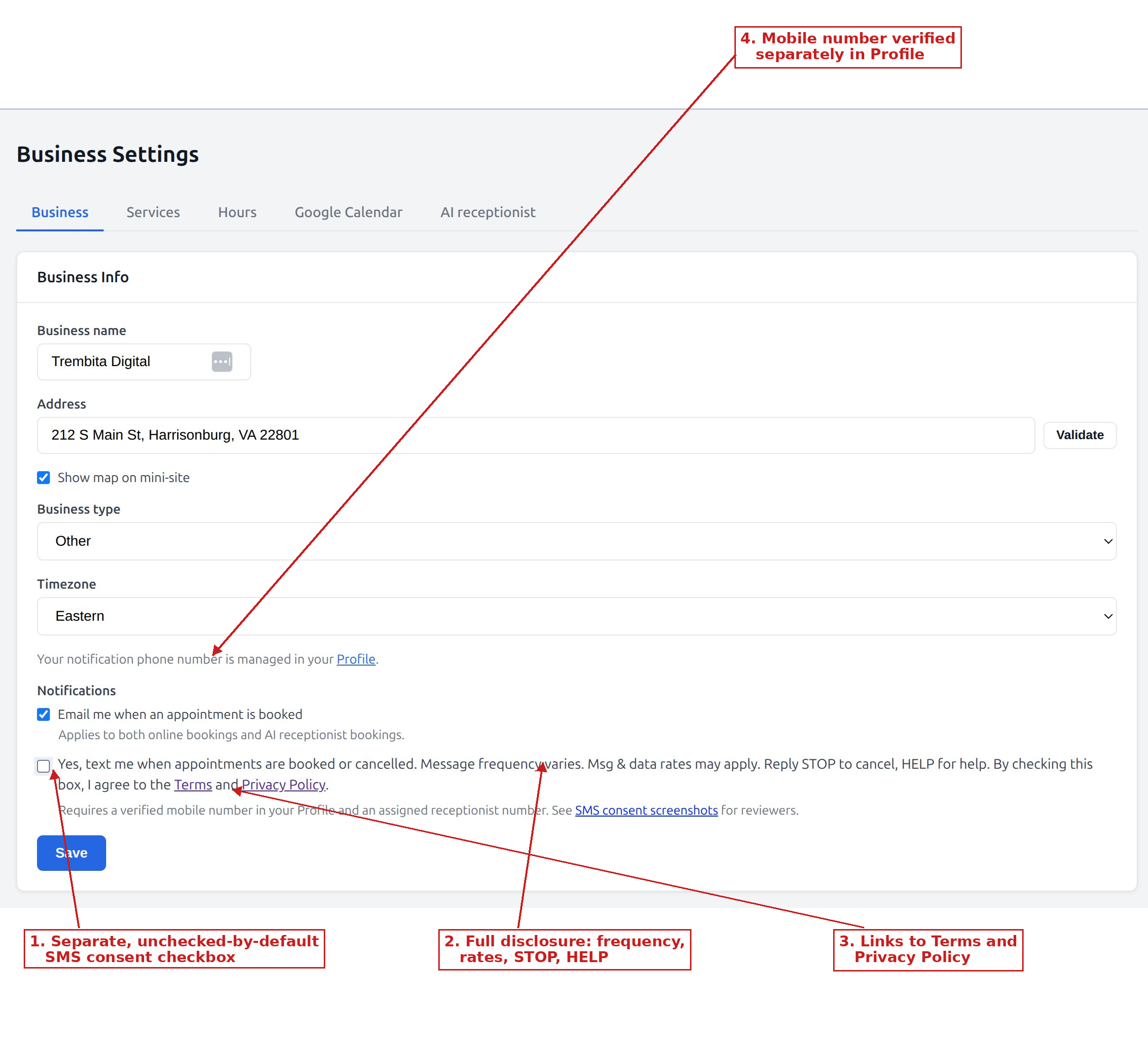
After sign-up, operators open Shop Settings in the FrontDesk portal. They verify a mobile number under Profile, then enable SMS using a separate, unchecked-by-default checkbox. The label text is:
2. Customers (public booking)
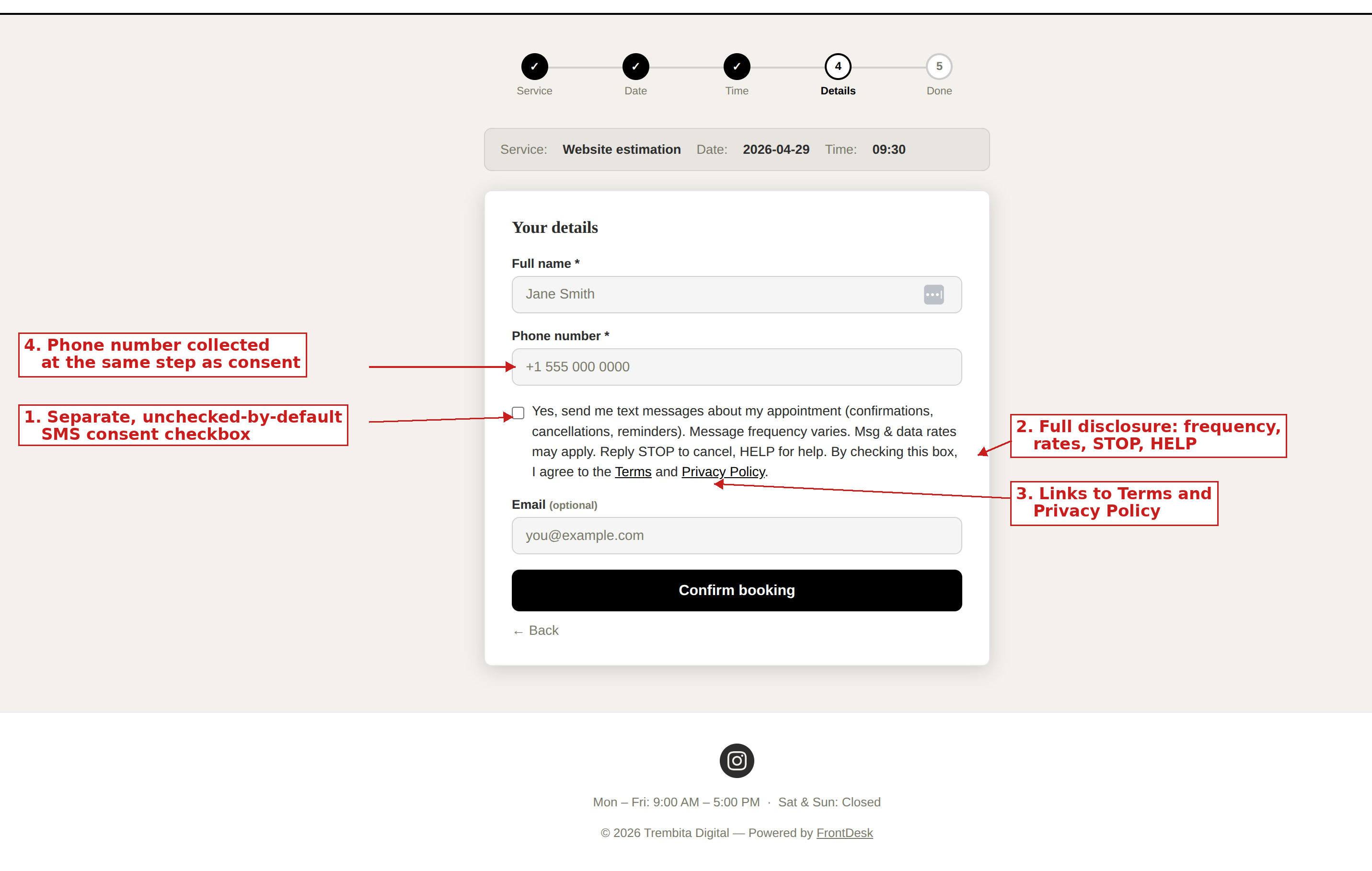
On each shop’s public booking page, the customer enters their phone number and may opt in using a separate, unchecked-by-default checkbox with this label:
3. Policies
- Privacy Policy — includes mobile information sharing, message frequency, rates, and STOP/HELP.
- Terms & Conditions — SMS program description and consent methods.